


Free · Offline · No account

Mental math, a few minutes a day.

Mathoo teaches arithmetic and everyday math from the very basics, in short lessons that feel like a game. Every wrong answer comes with the method, so you learn how, not just what.

Tally the capybara, Mathoo's mascot, waving
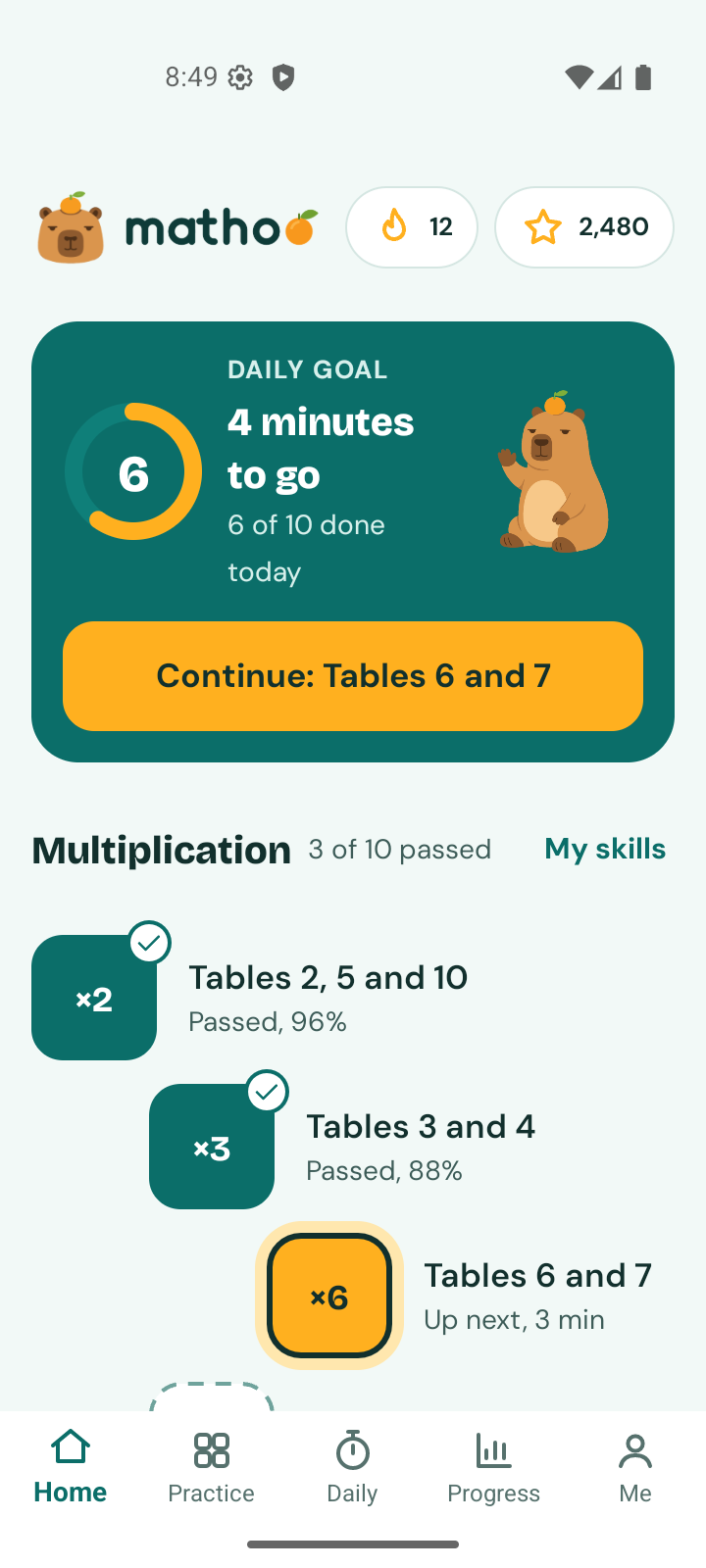
Mathoo home screen: daily goal, streak, and the multiplication learning path

How it teaches

A wrong answer is where the lesson starts.

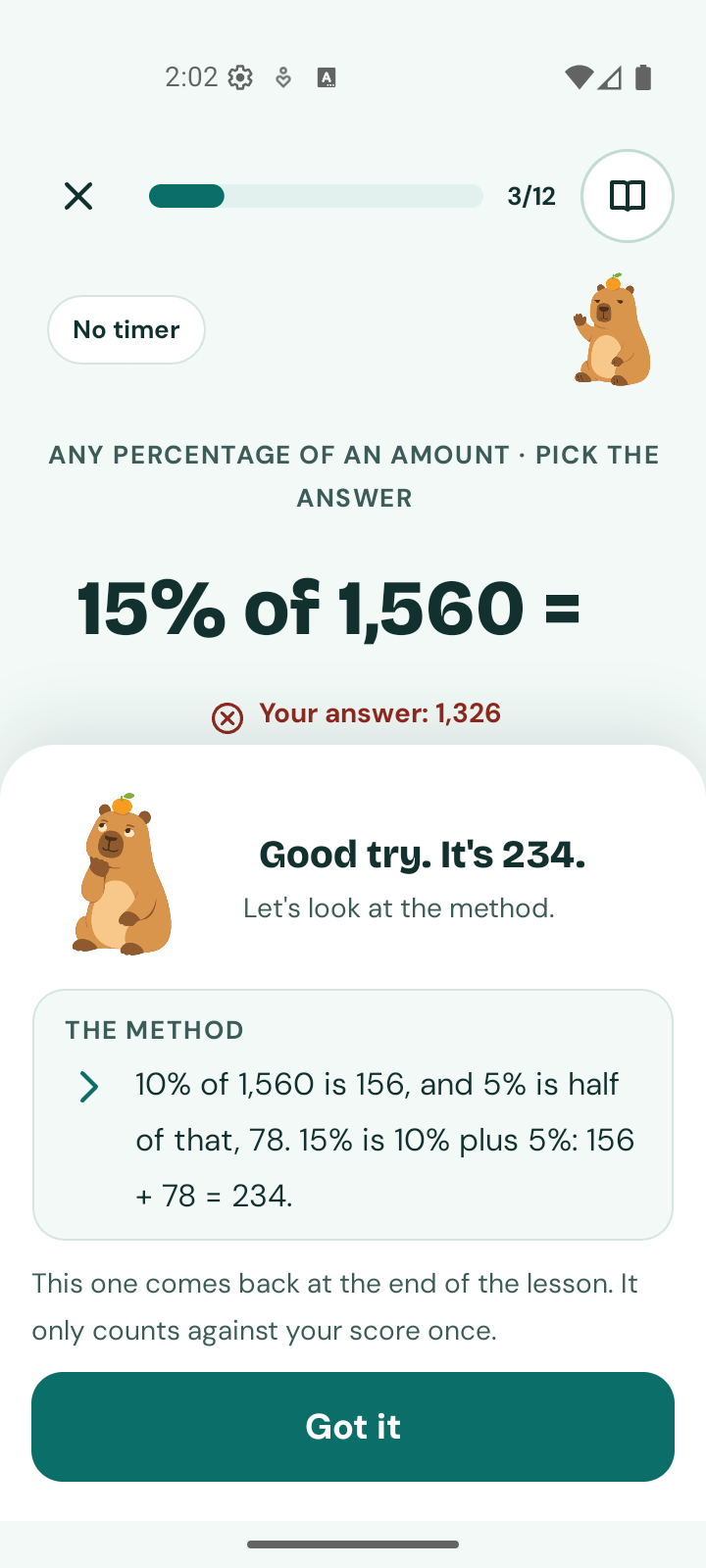
After a wrong answer to 15% of 1,560, Mathoo shows the method: 10% is 156, 5% is half of that, 78, so 15% is 234

It shows the method, in your own numbers

Miss a question and Mathoo walks through it step by step, using the exact numbers you were asked. For 15% of 1,560: find 10%, halve it for 5%, add the two. The question comes back at the end of the lesson and only counts against your score once.

  • Each lesson opens with a one-screen idea and a worked example.
  • No timer unless you turn one on. A hint is always one tap away.
  • Type the answer, pick it, put numbers in order or match pairs: the format changes so practice stays fresh.

One path, from 1 + 1 to percentages

Ten skills, each a short path of lessons. Start at the beginning, take a ten-question check to find your level, or open any lesson you like. Nothing is locked.

  • Number sense and rounding
  • Addition
  • Subtraction
  • Multiplication
  • Division
  • Fractions
  • Decimals
  • Percentages
  • Real-life math
  • Measurement and conversions
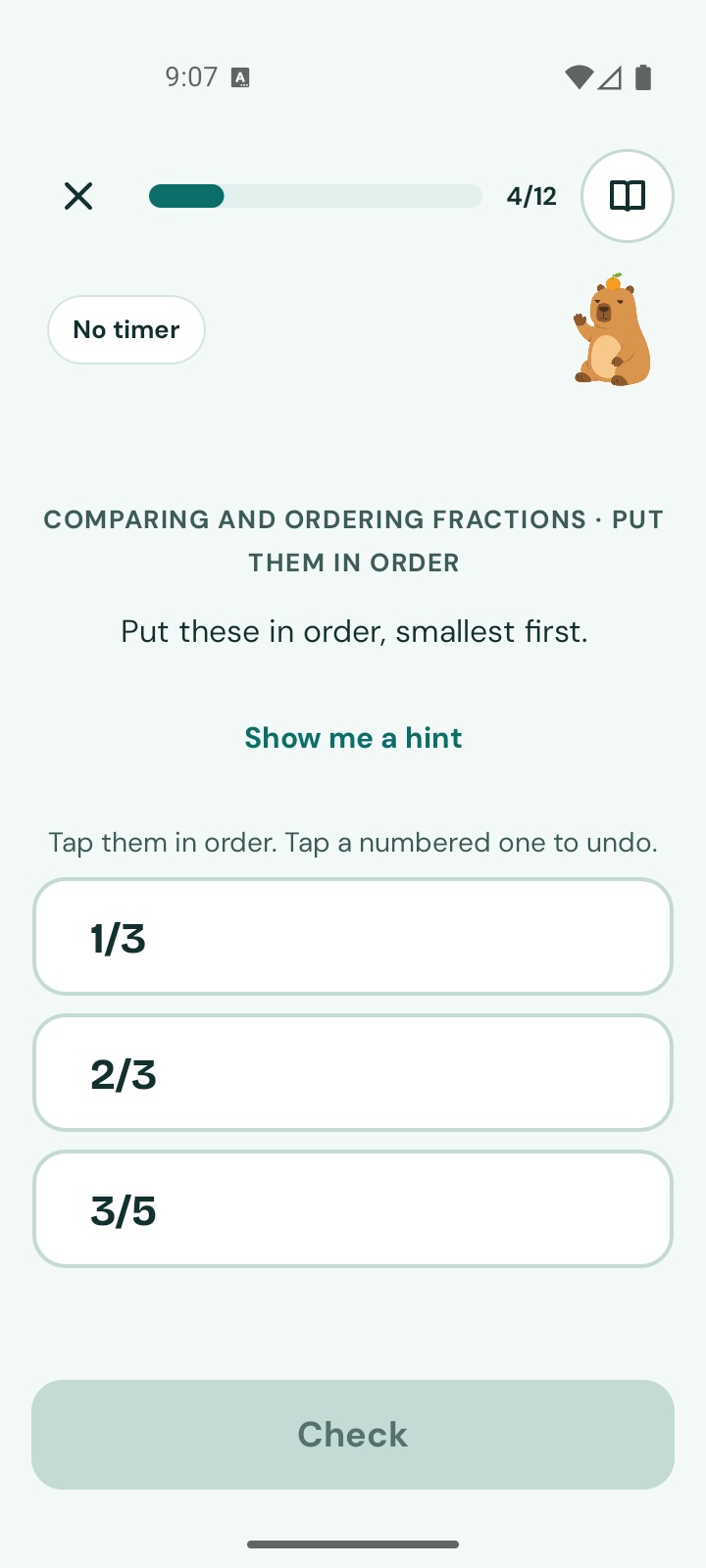
A fractions lesson asking to put 1/3, 2/3 and 3/5 in order, smallest first
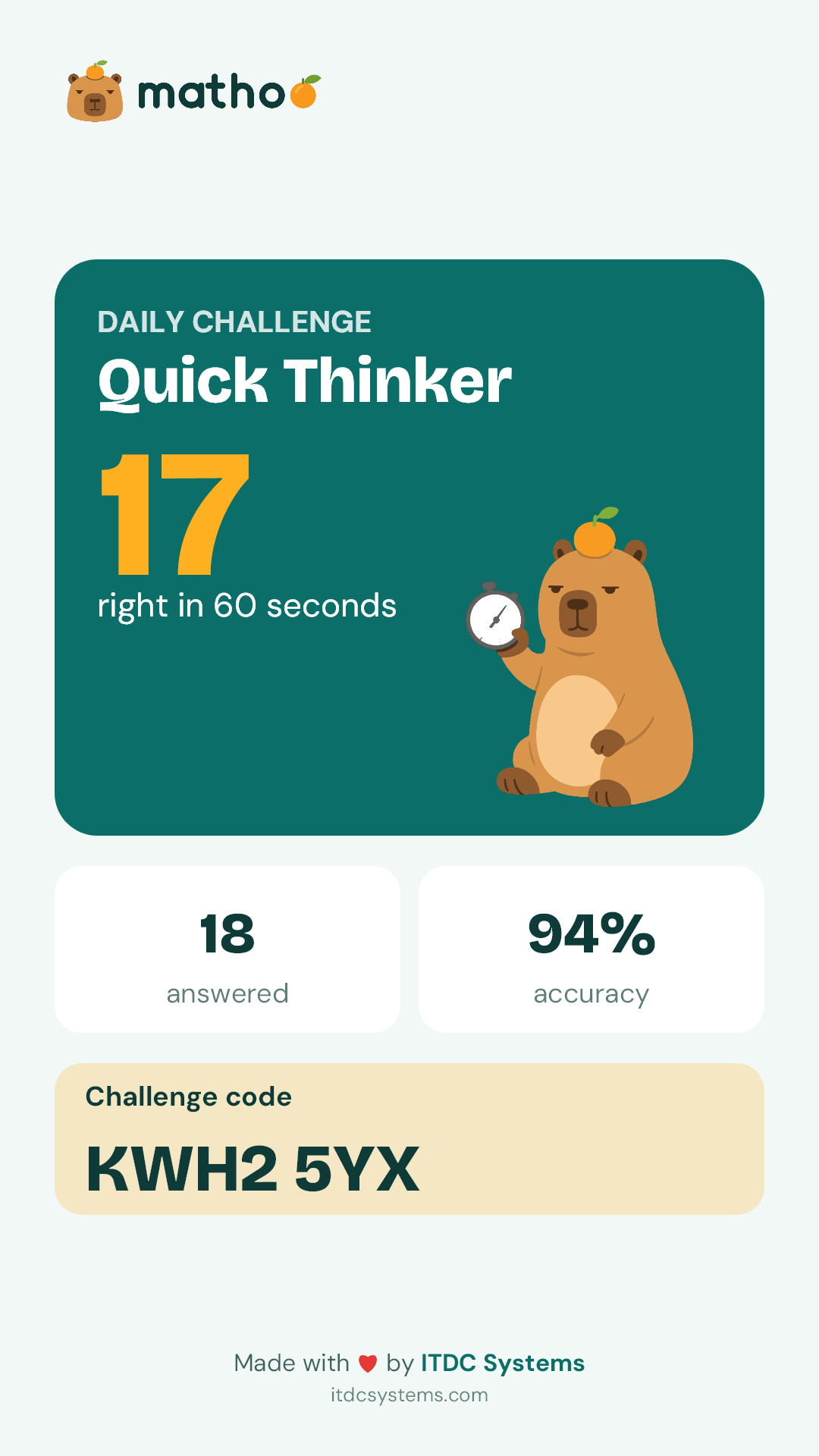
A Daily Challenge share card: Quick Thinker, 17 right in 60 seconds, with a challenge code

A 60-second Daily Challenge to share

One fresh set of questions every day, at three difficulty levels. Play it, get your rating, and send the challenge code to a friend, a classmate or the family group chat. They type the code and play the very same set, even offline.

Share cards are made on the phone. The code holds the questions, not anything about you.

Progress you can actually see

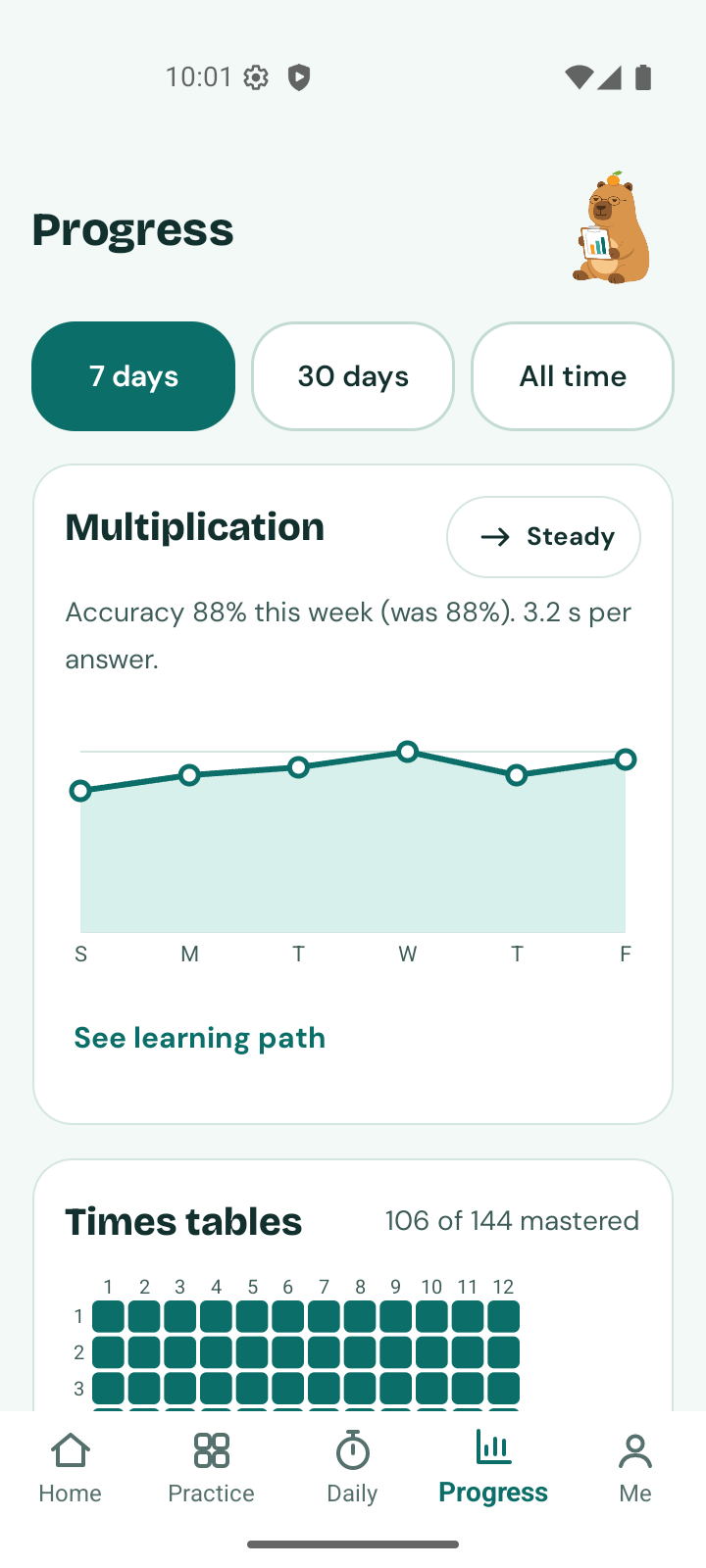
Accuracy and speed for every skill, week by week. A 12 × 12 grid of times-table facts that fills in as each one is mastered. A list of the questions missed most, with a button to practise exactly those.

  • A weekly report, a daily goal and a streak, with optional reminders.
  • Badges, levels and three mini-games that open as you improve.
  • Your whole history can be saved as a spreadsheet, whenever you want it.
The Progress screen: multiplication accuracy over a week and the times-table grid, 106 of 144 mastered

Math you use

Discounts, tips, change and the better deal.

Real-life lessons use real situations: reading a receipt, splitting a bill, working out a sale price, checking your change, comparing unit prices. Choose Philippine pesos or US dollars. A conversion card keeps 30 everyday unit conversions, each with a shortcut you can do in your head.

Tally the capybara reading

Who it's for

For the learner, and the people cheering them on.

Students

Go at your own speed. Nobody sees your mistakes, and a missed question just comes back for another try.

  • Three-minute lessons that fit before class or on the ride home.
  • Tricks for the hard facts, like the 9 times table.
  • Challenge a friend with a code and compare scores.

Parents

An app you can hand over without reading the fine print twice.

  • No ads, no purchases, no chat, no links to strangers.
  • No account and no sign-in. Nothing about your family is collected.
  • Open the Progress tab together to see what is improving and what needs practice.

Teachers

Extra practice that explains itself, for warm-ups, homework or catching up.

  • 89 lessons you can assign by name, each with a worked example.
  • No class codes or accounts to manage, and it works without Wi-Fi.
  • Run the same Daily Challenge for the whole room with one code.

Privacy

Mathoo collects no data. That is the whole policy.

No account

No name, email or sign-in is ever asked for.

Stays on the phone

Progress and history are kept on the device and nowhere else.

Offline by design

The app goes online only when you tap Check for updates, to download lesson files.

One tap to erase

Delete my data in Settings removes everything.

Read the full Privacy Policy

Questions people ask

Is Mathoo really free?

Yes. There are no ads, no in-app purchases and no subscription.

Does it need the internet?

No. Lessons, practice, the Daily Challenge and progress all work offline. The app connects only when you tap Check for updates in Settings, to download new lesson files.

What level does it start at?

The very beginning: counting, comparing and adding within 10. It builds up through the times tables and long division to fractions, decimals, percentages and unit conversions. A ten-question check suggests where to start.

Which money and units does it use?

Philippine pesos or US dollars, your choice. Measurement lessons cover metric and US customary units and converting between them. The app is in English.

What age is it for?

Ages 9 and up. Mathoo starts at the very beginning and builds up step by step, so it suits students who are still building their skills and adults who want to brush up. If you are under 18, ask a parent or guardian before you install it.

Mathoo app icon

Try Mathoo now on Android.

Mathoo is in early access. Download the Android app straight from this page and install it in a minute. It is free, and it will come to Google Play and the App Store later.

Download for Android · 59 MB iPhone — coming soon

Version 1.0.0 (build 6) · 15 November 2026 · Android 8.0 or later

How to install

  1. On your Android phone, tap Download for Android.
  2. Open the downloaded file. If your phone asks, allow your browser to install apps, then tap Install.
  3. Open Mathoo and start. There is nothing to sign up for.

Good to know

  • This is an early-access build. Some lessons are still being reviewed; if something looks wrong, tell us at [email protected].
  • It installs from outside Google Play, so your phone may show a warning first.
  • It does not update by itself. Come back to this page for newer builds and install them over this one.
  • When Mathoo reaches Google Play, the store version will be a fresh install: you will need to remove this build first, and progress saved in it will not move across. You can save your history as a spreadsheet from the Progress screen.

File check (SHA-256): 9f739a452765edbe2ba9d1583c74f46fe7dde4ef3964a94b72db8e6f7af4b723

ITDC Systems logo

Who makes Mathoo

ITDC Systems

Mathoo is one of ITDC Systems' free apps. ITDC Systems is a technology company in Makati City, Philippines, founded in 2017, that builds digital platforms for government and enterprise organizations.

Official website: www.itdcsystems.com

Email[email protected]

Phone+63 949 903 6416

Office1103 Cityland Herrera Tower, Salcedo Village, 98 V.A. Rufino St., Makati City, Metro Manila, Philippines